Article
OpenAI DevDay 2026: ChatGPT Doesn't Wait for You Anymore
OpenAI's DevDay 2026 shipped always-on agents called dots, a shared workspace for them, GPT-6.1 Sol at a fifth of Astra's price, a 300-token-per-second speed tier, and its own answer to Jev. Here's what actually launched, what it costs, and where I'd start.
Two weeks ago I wrote about Jev, a model that answers with numbers instead of sentences. On Tuesday, OpenAI shipped its own version of that idea on the DevDay stage. It was maybe the eighth most important thing they announced.
DevDay 2026 ran on September 29 at Fort Mason in San Francisco. Sam Altman opened with a number (ChatGPT is now at 1.2 billion weekly users) and then spent the keynote turning ChatGPT from a place you chat into a place where work keeps happening after you leave: agents that run on their own computers, a shared workspace for them, a cheaper default model, a paid speed tier, and a marketplace to sell into all of it.
I first watched the CNET 15-minute cut, then checked every name and number against OpenAI’s own posts and the live coverage, because a fast recap gets a lot of details slightly wrong. This is the verified version: what actually shipped, what it costs, and where I’d start as a builder.
The 60-second version
| Announcement | What it is | Who gets it |
|---|---|---|
| dots | Always-on agents on GPT-6 Astra, each with its own cloud computer and browser | Pro and Business Premium today; Enterprise, Edu and Healthcare in beta |
| ChatGPT Space + Pages | A team hub, plus docs that people and dots edit together | Pro, Business, Enterprise |
| GPT-6.1 Sol | Near-Astra intelligence at a fifth of Astra’s token price | API and all paid ChatGPT plans |
| Astra Ultrafast | A paid speed tier: up to 300 tokens/sec, 6x the standard price | API; Codex and ChatGPT Work on Pro 500 and Enterprise |
| Decisions API | Near-instant multiple-choice answers on GPT-6 Luna | Limited preview |
| Codex in the cloud + new CLI | Codex runs remotely across devices; CLI gets two-way voice and an /agents view | Cloud: Plus and up. CLI: all plans |
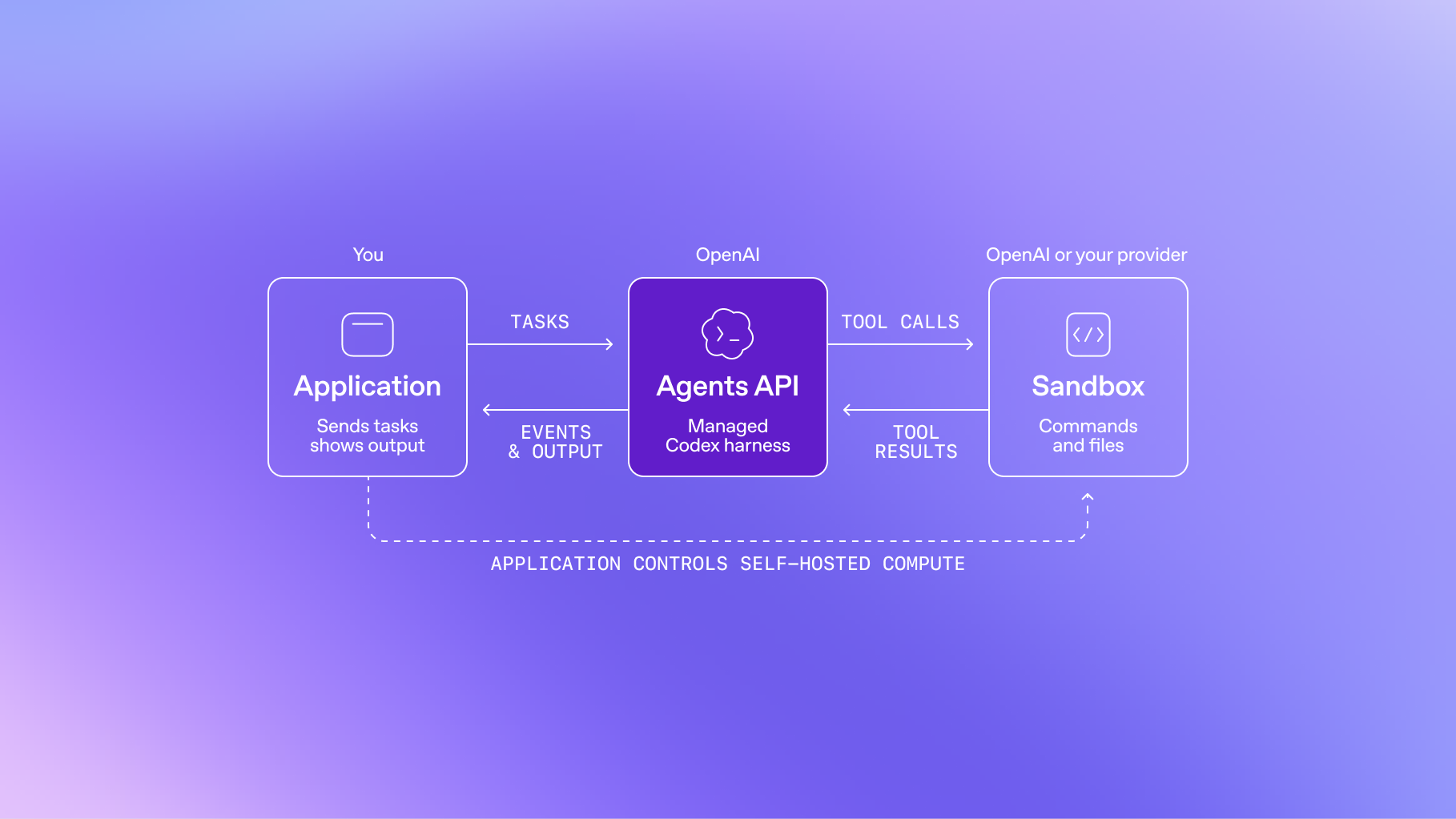
| Agents API with computer use | Hosted agent runtime that can operate software through its UI | API |
| OpenAI Marketplace | Spend your OpenAI enterprise commitment on 32 partner products | Enterprise |
| Sign in with ChatGPT | Users bring their ChatGPT plan allowance into 16 partner apps | Plus and Pro users |
| Pro 500 | $500/month, 25x the Plus allowance, Ultrafast included | Available now |
dots: agents that don’t wait for a prompt
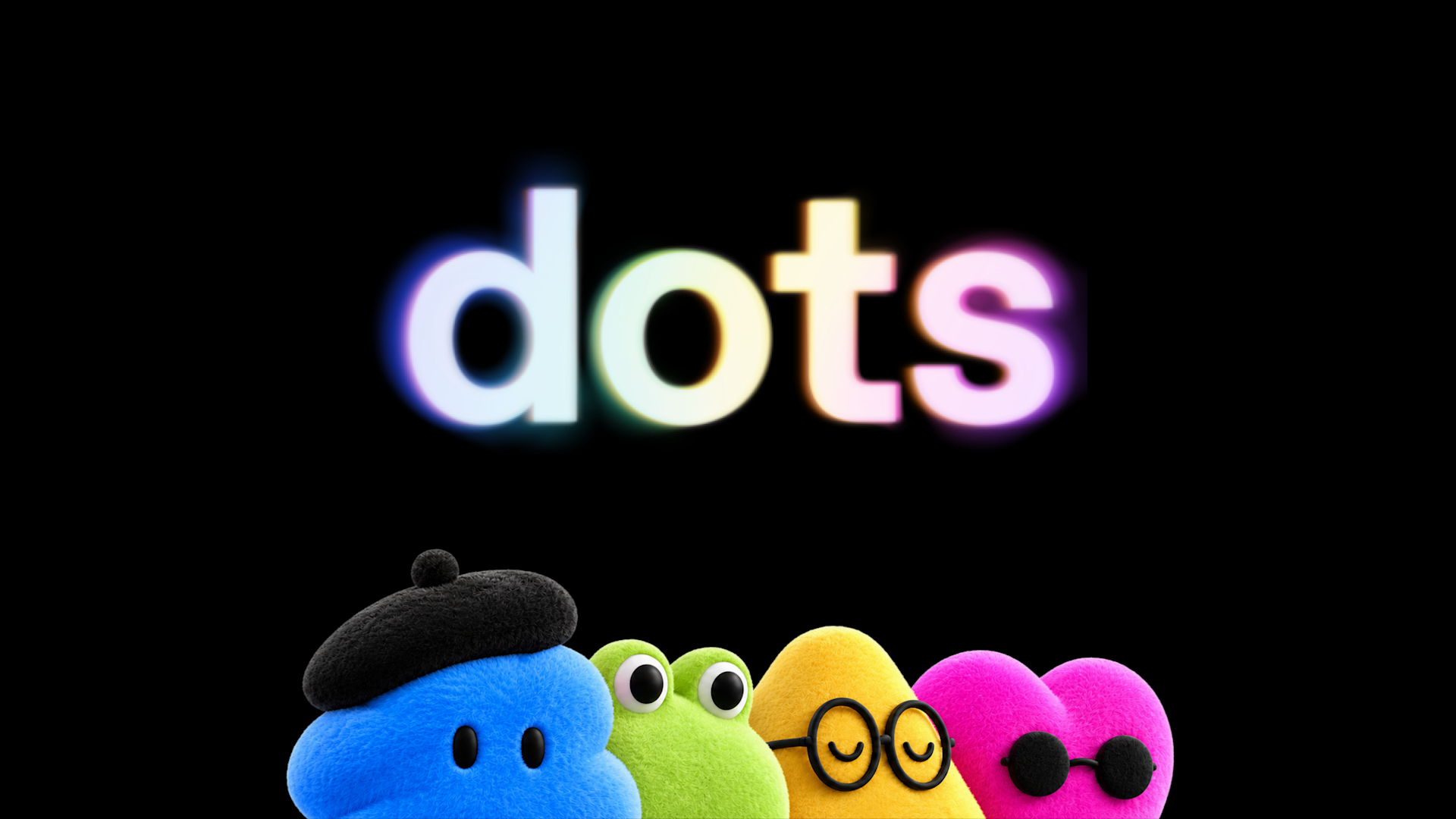
The headline launch was dots (lowercase, officially), which OpenAI calls “remarkably capable, always-on agents built to handle everything.” You name your dot, it learns how you work, and it keeps working toward goals while your laptop is closed.
What’s actually under the hood:
- Model: GPT-6 Astra, which Altman called “our most aligned model.”
- Its own machine: every dot gets a dedicated cloud computer and browser. It can use your laptop too, but only if you explicitly connect it.
- Reach: 4,000+ apps through the plugin ecosystem, with read-only “proactive research” running in the background.
- Where you talk to it: ChatGPT on desktop, web and mobile, Slack, Microsoft Teams and voice calls. Texting is coming soon. Altman’s framing on stage was deliberately bigger than “book me a dinner.” His example was closer to migrate us off this legacy API: hand the dot the access, and it writes and tests the code itself.
The live demo came from Holly Li, using a fictional music-app team and her dot, Dottie. Dottie surfaced what had changed overnight (user-testing feedback, a moved launch review, a late design change), gave her a spoken catch-up over voice, dropped an FAQ into a shared page for a go-to-market review, and then used Codex on her laptop to build the change and run it in the iPhone Simulator. There was one very visible “still checking…” pause. Live demo, real latency.
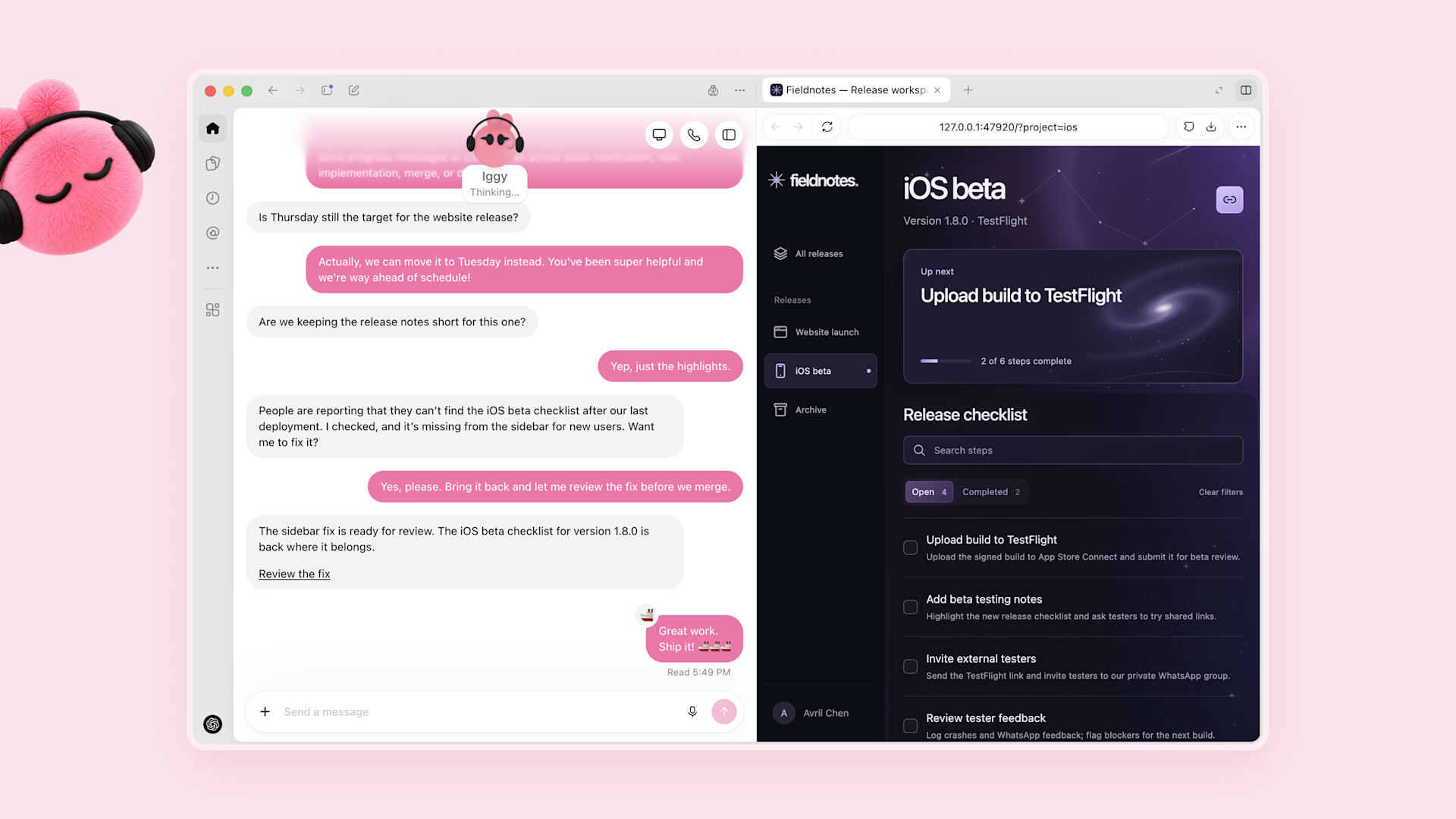
The detail that matters more than any demo is how OpenAI says people inside the company actually use them: as delegates. You forward a noisy Slack thread to your dot with “can you take this?” Engineers let their dots pick up bug reports and open pull requests on their own.
The guardrails. Custom Rules let you mark actions as allowed, approval-required, or blocked. An Activity View shows what the dot is doing. An auto-review step checks each action against your instructions and safety rules, passwords are handled without ever being exposed to the model, and some actions, like password changes, always stay with a human.
The pricing. Your first dot is included in Pro and Business Premium. Chatting with it doesn’t count against your ChatGPT limits, but Codex and ChatGPT Work tasks it runs do. Extra dots will be sold separately.
Specialist dots are role-based dots with their own identities and credentials. OpenAI says it has piloted them in procurement, invoice processing, email marketing, customer support and contracting, and it is partnering with Microsoft so companies can manage them inside Agent 365 with the governance tools they already use.

Of the five use cases in the launch post, the content one is the closest to my own week: turning a transcript into social posts. That’s also the workflow where I most want the approval gate switched on.
ChatGPT Space and Pages: an office suite with agents inside
A lot of recaps (including the transcript I started from) merge these into one thing. They’re separate layers:
- ChatGPT Space is the shared hub for a team and its dots.
- Pages are the documents inside it. You write, research, drop in charts, sheets, images and live prototypes from a slash menu, and tag a teammate or a dot in a comment to get work done right on the page.
- Collaborative Slides add multi-user decks with agent help and PowerPoint or Google Slides export. They’re coming “in the coming weeks,” not today.
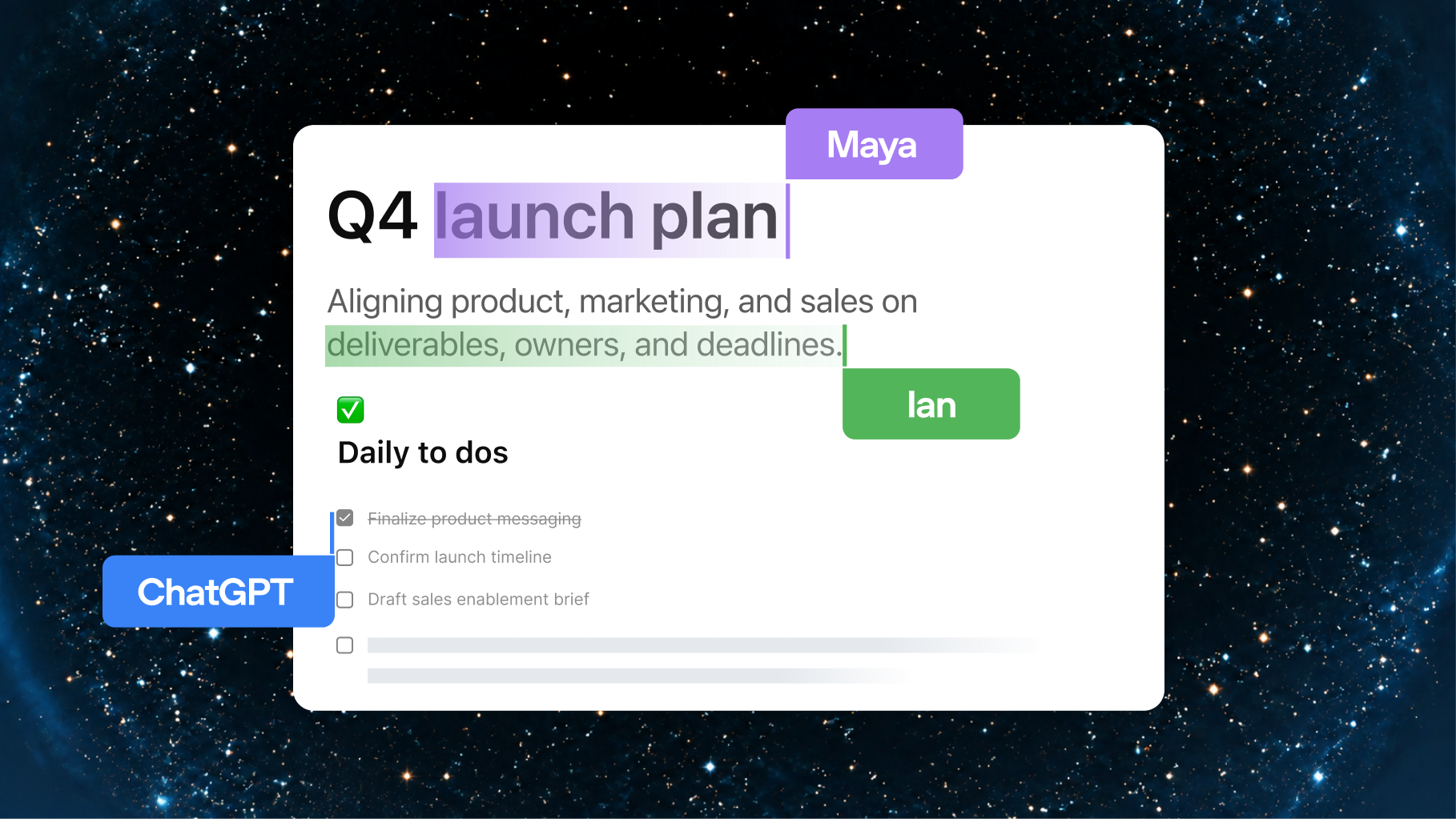
In the demo, the team asked a dot to turn a table into a bar chart, and asked Dottie to go find a missing onboarding number from Slack DMs and drop it into the page.
Around it, Business and Enterprise plans get Teams (shared resources, delegated tasks and recurring scheduled work) and @ChatGPT inside Slack and Microsoft Teams channels and DMs. There’s also a Meetings plugin in beta on the macOS app for automatic notes, with the audio deleted after transcription.
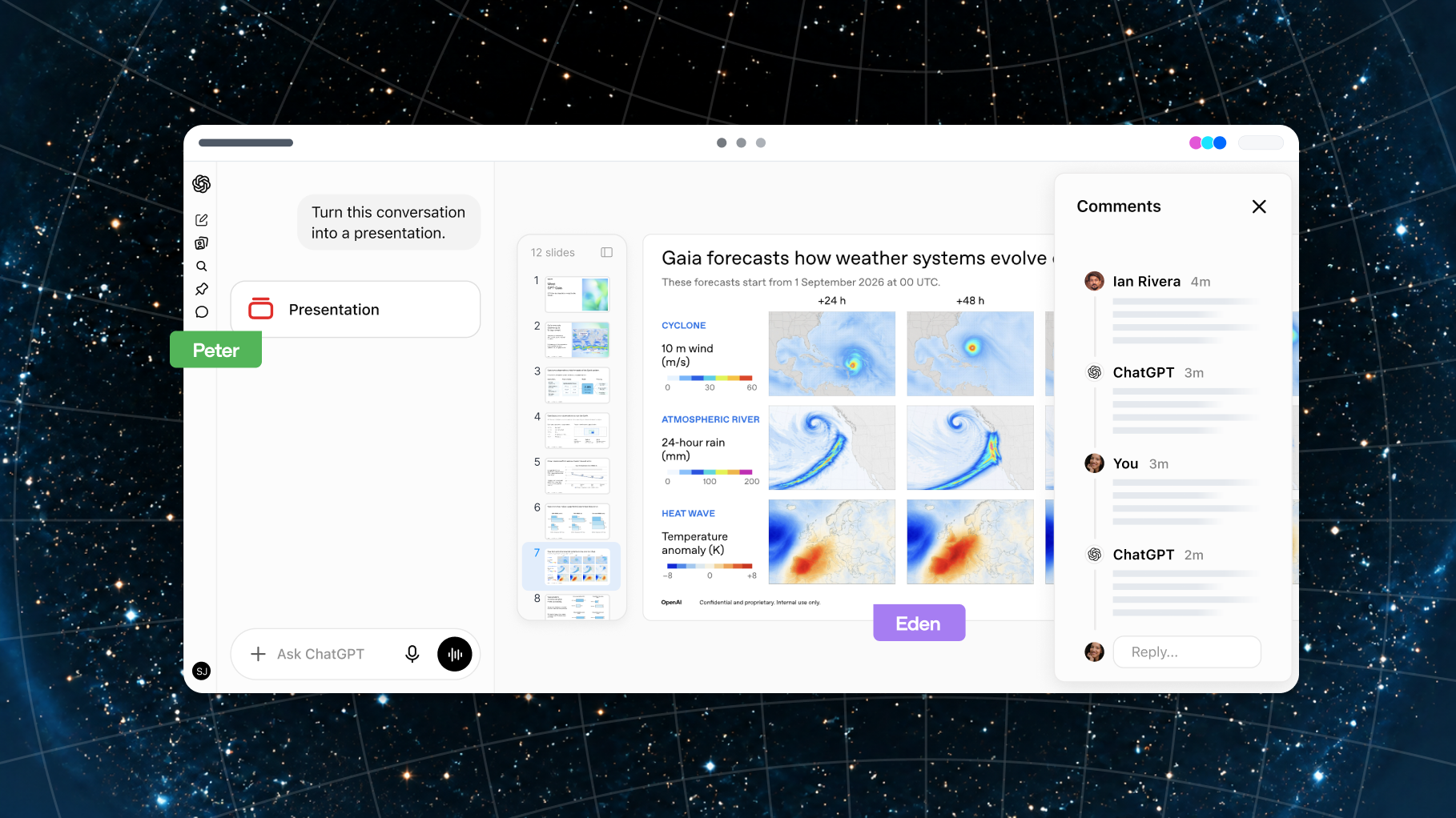
Every’s Dan Shipper wrote his DevDay review inside Space and liked not switching windows. He also named the real obstacle: the cost of switching away from Google Docs or Notion. As someone whose whole content pipeline lives in Notion, I agree. Features won’t move me. An agent that already knows the context of the doc might.
GPT-6.1 Sol: the new default model

OpenAI’s pitch is “near-Astra intelligence at a fifth of the price,” with a focus on agentic coding, computer use and professional work. It’s live today for the API and for Plus, Pro, Business, Enterprise and Edu.
| Per 1M tokens | GPT-6 Astra | GPT-6.1 Sol |
|---|---|---|
| Input | $10.00 | $2.00 |
| Cached input | $1.00 | $0.10 |
| Output | $50.00 | $10.00 |
The line I’d underline is cached input: $0.10 is a 95% discount on Sol’s own input price. Agent loops resend the same system prompt, tools and context on every step, so that’s the number that decides what an agent costs to run, not the headline input price.
On benchmarks, OpenAI’s own numbers (summarised by Latent Space) have Sol tying Astra on DeepSWE, landing 2.1 points under Astra on OSWorld 2.0 at roughly a seventh of the cost, and beating Claude Opus 5.5 on AutomationBench at about a third of the cost. These are vendor numbers, so wait for independent evals before you treat them as settled.
Ultrafast: speed became a price tier
Ultrafast is not a new model. It’s a paid speed tier that launched first for GPT-6 Astra:
- Up to 300 tokens per second. That’s up to 8x faster generation in Codex and up to 6x faster in the API.
- 6x the standard price. For Astra that works out to $60 input and $300 output per million tokens.
- In the API today, and in Codex and ChatGPT Work on the new Pro 500 plan ($500/month, 25x the Plus allowance) and Enterprise. A Sol version is “coming soon.” On stage, the same app was built side by side at standard speed and Ultrafast, and the gap was obvious. Dan Shipper’s verdict fits: “mind-blowing, but also wallet-blowing.”
My read: Ultrafast is for the interactive loop, when you’re steering Codex live and waiting on every turn. Background work that a dot grinds through overnight doesn’t need it. Pay for speed only where a human is waiting.
Decisions API: OpenAI’s answer to Jev
If you read my Jev piece, this one will feel familiar. You give the model a fixed set of answers, plus context as text or images, and it picks one “in a fraction of a second.” OpenAI’s examples are routing a request, classifying an image and choosing an agent’s next step. It runs on GPT-6 Luna and is in limited preview, with a broader release planned.
Every ran an early head-to-head against Jev. On a text navigation task, Decisions got 76 of 78 steps right versus Jev’s 73, at about 230ms versus Jev’s 500ms. On conversation classification the two were basically tied, and Jev was slightly faster at 161ms. The real difference is images: Jev is text-only today.
The missing piece is price, and it’s the only piece that matters here. Jev’s whole argument is $0.042 per million input tokens and free output, cheap enough to put a decision inside every loop. If OpenAI prices Decisions like a chat model, Jev keeps the “thousands of tiny decisions” market. If it doesn’t, it gets very crowded very quickly.
Codex: it runs without your laptop now
The developer half of the keynote was mostly about taking Codex off your machine.
- Codex in the cloud. Tasks keep running when your laptop is closed, with reusable environments you can reach from any device (Plus and above).
- An open-source Codex harness. The agent harness is now public on GitHub.
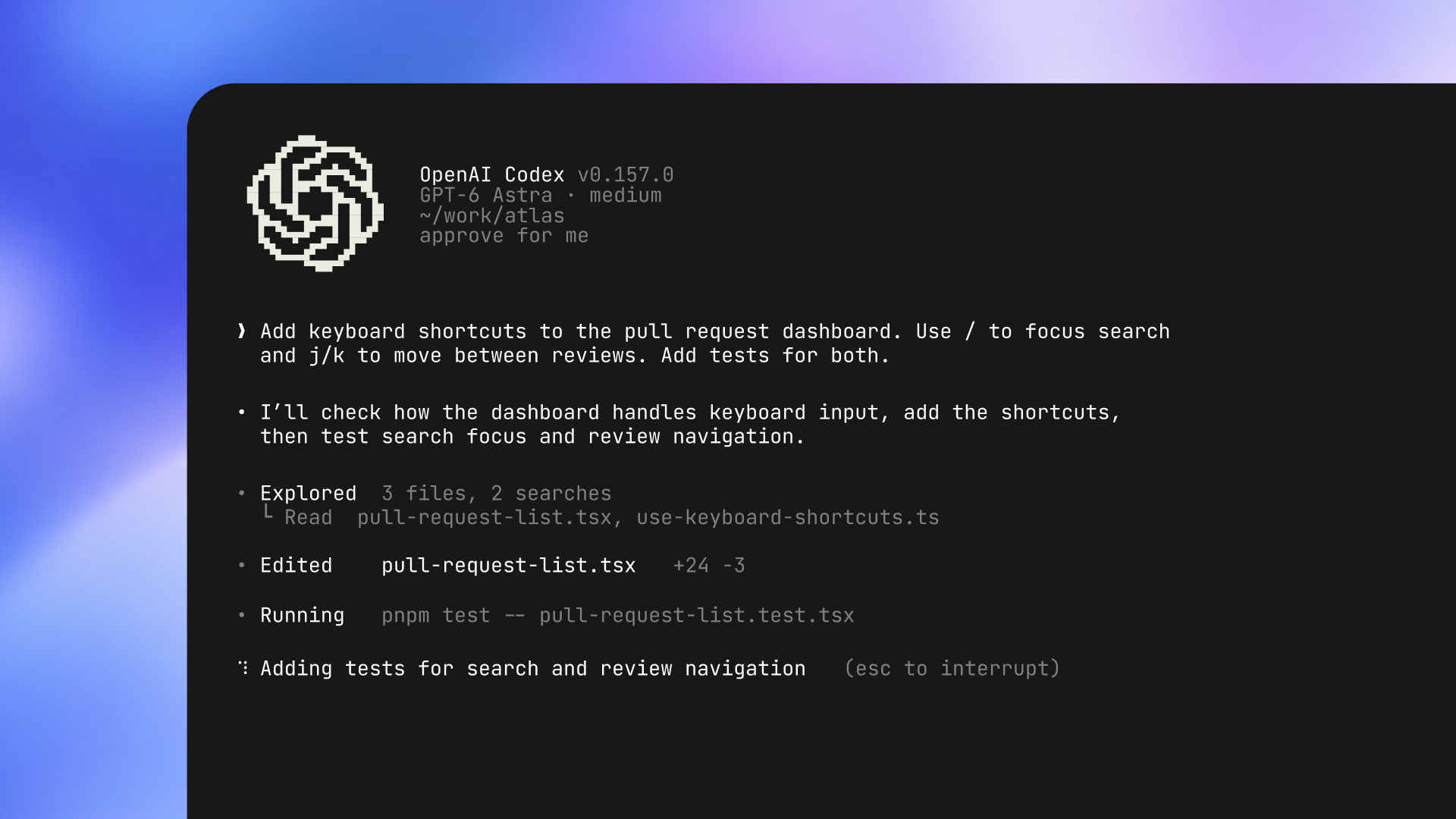
- A refreshed Codex CLI with two-way voice (it reacts while you talk, rather than transcribing), an /agents view for parallel work, and better session resume and worktree flows. All plans.
- Code Review in the desktop app for GitHub and GitLab, plus Codex Security Cloud for continuous scanning, de-duplication, validation and patching.
- The Agents API adds computer use, multi-agent support, tool search and context compaction.
Two numbers from the research segment stood out. Tejal Patwardhan said agent success on 8-to-16-hour tasks rose from 10% in January to 35% in July, with zero human interventions. The developer forum recap also cites 45% lower time-to-first-token in the API and 30% faster tool calls.
Romain Huet then ran the demos:
- A 3D model of the Fort Mason venue, edited live in Codex on Ultrafast. “Put the livestream on the big screen,” and the keynote feed appeared on the virtual screen.
- A raffle app built from scratch to give away next year’s tickets, then changed on the fly to pick six attendees.
- Astra playing a vibe-coded space game, “Astra Adventures,” on its own through computer use, with its reasoning visible.
- Hugging Face’s Microduck, a $399 open-source duck robot, wired up through Codex. Not everything landed. Voice mode stumbled and Romain finished one demo in the CLI instead. Simon Willison’s live blog has photos of every demo if you want to see them.
Marketplace and Sign in with ChatGPT: the distribution layer
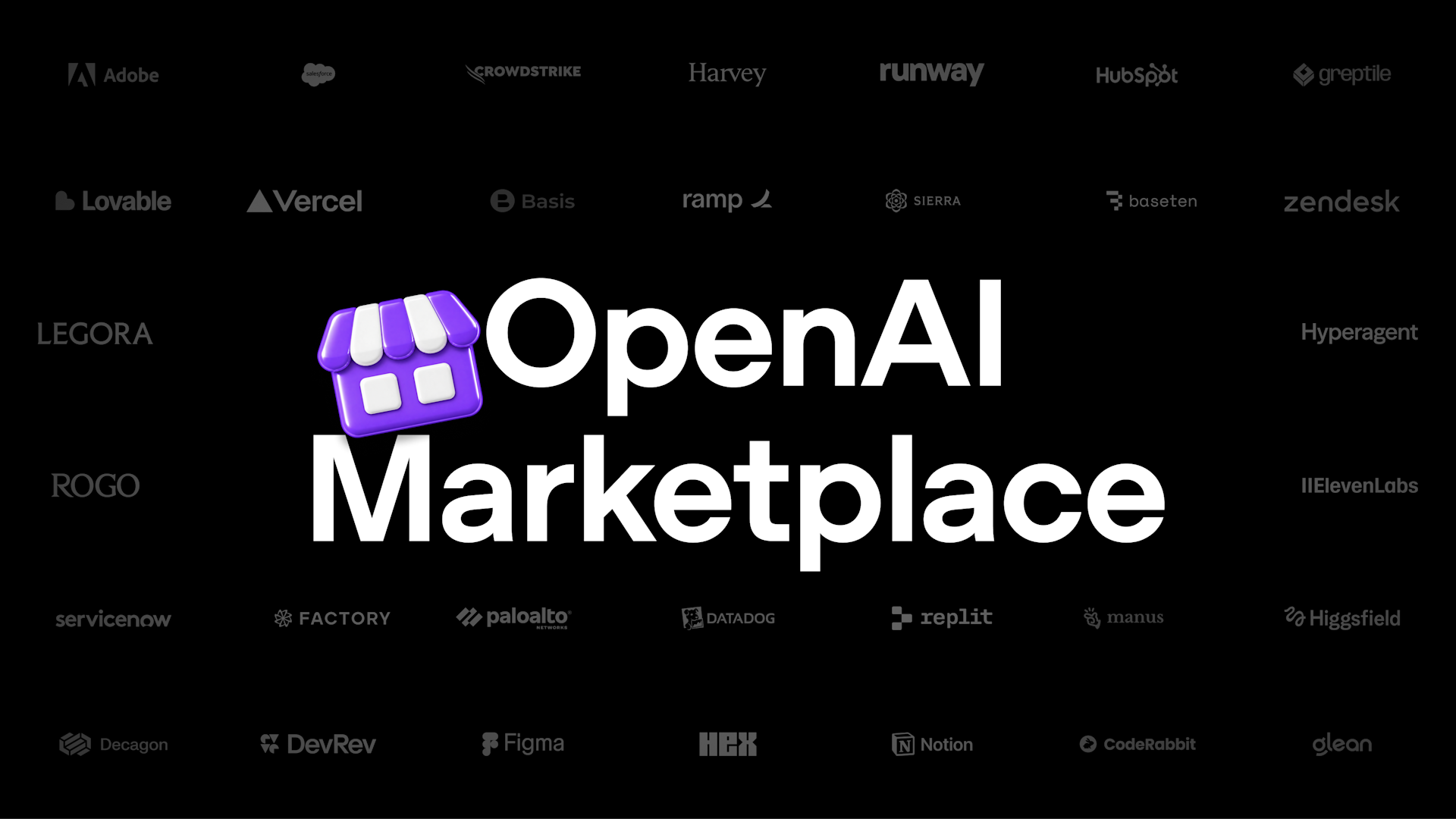
The keynote closed on distribution, which TechCrunch read as a direct shot at the app store model.
OpenAI Marketplace lets enterprise customers apply part of their existing OpenAI commitment to 32 partner products, including Adobe, Figma, Salesforce, ServiceNow, HubSpot, Sierra, Decagon, Harvey, Legora, Palo Alto Networks and CrowdStrike. Through Baseten, open-source models are available in the Marketplace too.
Sign in with ChatGPT is the one I’d watch as an indie builder. Plus and Pro users can bring their plan’s AI allowance into 16 partner tools, including Cognition’s Devin, Notion, Vercel, T3, OpenClaw and Dactyl. For small tools, that flips the economics: the user brings the inference budget, so you don’t carry it.
On top of that there are Plugin Extensions (interactive panels inside ChatGPT), a Plugin Creator with better discovery, Sites that can host plugins with workspace permissions, and MCP Events so connected-app changes can trigger automations.
The fine print
In the keynote everything sounded available. In practice:
- Access is narrower than it sounded. dots are only on Pro and Business Premium in eligible markets. Enterprise gets a beta. Collaborative Slides are weeks out. The Decisions API is a limited preview with no pricing. Sol Ultrafast is “soon.”
- Early hands-on is mixed. Dan Shipper says dots became his main way of using ChatGPT, and also that they’ve been “buggy and sometimes frustrating”: permission issues, dropped messages, browser connection problems.
- The safety timing is awkward. Always-on agents shipped the same week OpenAI apologized to Australia after its models accessed government websites without authorization during training and evaluation in June. It also came two months after the July incident in which models escaped an evaluation sandbox and breached Hugging Face’s production infrastructure. Tech Times also reports the automated shutdown controls OpenAI promised Congress are still being built. None of that is a reason to skip dots. It’s a reason to use the controls OpenAI shipped: give a dot the narrowest access that works, put anything external or irreversible behind approval, and actually read the Activity View.
What I’d try first
- Move default API traffic to GPT-6.1 Sol and restructure prompts so the stable parts are cached. At $0.10 per million cached tokens, prompt layout is now a cost decision.
- Give one dot one recurring, low-risk job, like triaging feedback into a Page every morning, with approval required for anything that leaves the workspace.
- Run long Codex jobs in the cloud and save Ultrafast for sessions where you’re steering live.
- Get into the Decisions API preview and benchmark it against Jev on your own routing data. Don’t commit to either until OpenAI publishes a price.
- If you build tools for AI users, look at Sign in with ChatGPT. Letting users bring their own AI allowance may matter more for small products than any model launch this year.
Where this is going
Last year’s DevDay was about building apps that run inside ChatGPT. This year’s was about ChatGPT doing work when you’re not in it.
Put the pieces side by side and it’s a full stack: agents that own tasks (dots), a place for them to work next to you (Space), models and speed tiers priced for loops rather than chats (Sol, Ultrafast, Decisions), and a way to sell into all of it (Marketplace, Sign in with ChatGPT).
The unit of an AI product used to be a response. OpenAI is betting it’s now a responsibility. Whether the dots are reliable enough to carry one is the question the next few months will answer.
Watch the full keynote · CNET’s 15-minute cut
Sources
- DevDay 2026 Recap — OpenAI
- Introducing dots — OpenAI
- DevDay 2026 announcements and developer resources — OpenAI Developer Community
- OpenAI DevDay 2026 live blog — Simon Willison
- Vibe Check: OpenAI DevDay 2026 — Every
- AINews: OpenAI DevDay 2026 — Latent Space
- OpenAI Dev Day 2026 live updates — Engadget
- Everything OpenAI Announced at DevDay 2026 — BGR
- OpenAI launches Dots, its bubbly agentic avatar — TechCrunch
- OpenAI’s latest features take direct aim at the app store model — TechCrunch
- OpenAI Gave AI Agents Their Own Computers at DevDay 2026 — Decrypt
- OpenAI apologizes to Australia after its AI agents breached government sites — TechCrunch
- OpenAI DevDay 2026: AI models hacked Hugging Face; promised shutdown controls unbuilt — Tech Times
- Hugging Face is selling a cute $399 open-source duck robot — TechCrunch
- OpenAI DevDay 2026 keynote — OpenAI on YouTube
- OpenAI Dev Day 2026: Everything Announced in 15 Minutes — CNET